On November 12, 2026, Apple added one line to the App Store Connect release notes that will change how many iOS apps and games ship extra content: starting in early 2027, App Store Connect will stop accepting uploads that contain On-Demand Resources (ODR) from new apps or from apps that have never used the feature. If you planned to add ODR to a project next year, that plan no longer works. This guide explains who is affected, what replaces ODR, and how to move a real project to Background Assets without surprises.
▶ Watch the video version (about 4 minutes):
What Apple announced, and what it did not
The App Store Connect release notes for November 12, 2026 say: "Starting in early 2027, App Store Connect will no longer accept uploads containing On-Demand Resources from new apps or apps that have never used this feature. Migrating to Background Assets is recommended."
This is the second step. ODR and the NSBundleResourceRequest API were already marked deprecated in the iOS 27, iPadOS 27, tvOS 27 and visionOS 27 release cycle. Apple's own ODR size limits page now carries a note that ODR is deprecated "and support will be removed in future releases."
What Apple has not published yet:
- An exact day in "early 2027" when the upload gate starts.
- A date when apps that already use ODR must stop using it.
- A removal version for the API itself. As developer Blake Crosley points out in his analysis, existing ODR tags still resolve and shipped binaries keep working; the compiler warning only appears once your deployment target reaches iOS 27.
So nobody's live app breaks next month. But the direction is clear, and the window to plan the move calmly is now.
| Your situation | What changes in early 2027 | What to do |
|---|---|---|
| New app, no ODR | ODR uploads will be rejected | Design with Background Assets from day one |
| Existing app, never used ODR | Cannot start using ODR | Use Background Assets for any new downloadable content |
| Existing app already on ODR | No upload block announced yet | Plan a migration in 2027; ODR is deprecated |
Why Apple is replacing ODR
ODR, introduced with iOS 9, let you tag files in Xcode so the App Store hosted them separately and the app fetched them later with NSBundleResourceRequest. It solved app size, but it had two limits that hurt teams in practice. First, the content was tied to the build: to change one texture or one level, you shipped a new binary and went through review again. Second, the system could purge tagged content when the device was low on storage, so apps had to handle content disappearing.
In the WWDC25 session "Discover Apple-Hosted Background Assets", Apple called ODR "a legacy technology" and introduced its successor. The Background Assets framework lists three advantages over ODR: you can update assets without submitting a new app build, you can host on your own servers or let Apple host, and the managed mode handles downloads, updates and compression for you.
| On-Demand Resources | Managed Background Assets | |
|---|---|---|
| Unit of content | Tags set in Xcode | Asset packs with a JSON manifest |
| Update content without a new build | No | Yes |
| Hosting | App Store only | Apple-hosted or your own server |
| Storage cleanup | System may purge | You call remove(assetPackWithID:) |
| Minimum OS | iOS 9 | iOS 26 (managed mode) |
| Status | Deprecated | Recommended |
Choose your path before writing code
Background Assets is not a single switch. There are three ways to use it, and your minimum deployment target decides most of the choice.
Apple-hosted, managed
This is the closest replacement for ODR. You upload asset packs to App Store Connect, Apple hosts them, and a system-provided downloader extension handles downloads and updates. According to Apple's download guide, the service hosts up to 200 GB of compressed assets on all platforms except watchOS, included in your developer membership. The size limits page adds a cap of 200 asset packs per app record, shared across all platforms.
Self-hosted, managed
Same manifest format and same system download behavior, but the files live on your server or CDN. This suits teams that already run a CDN, need the same content on Android, or want analytics on their own infrastructure.
Self-hosted, unmanaged
The original Background Assets API (BADownloadManager, BADownloaderExtension) from iOS 16. You host files, write the manifest format yourself and handle scheduling. It is more work, but it is the only Background Assets option if your app still supports iOS versions before 26.
The key constraint: App Store Connect Help states that Managed Background Assets is for apps targeting iOS 26, iPadOS 26, macOS 26, tvOS 26 and visionOS 26 and later. If your app supports iOS 17 or 18, you either stay on ODR for now (if you already use it), or take the unmanaged path.
A migration checklist for an existing ODR app
The Background Assets documentation gives the official removal steps. Here they are in the order we would run them on a client project.
- Audit your tags. List every ODR tag, its size, and where
NSBundleResourceRequestis used. Note which tags are "initial install", "prefetched" or purely on demand. - Map tags to asset packs. Group files that are needed together. Each pack gets a download policy:
essential(downloaded as part of installation),prefetch(starts during installation, may finish later) oronDemand(downloaded only when your code asks). This maps well to ODR's initial install, prefetch and on-demand tags. - Write a manifest per pack. Run
xcrun ba-package template -o Manifest.json, fill inassetPackID,downloadPolicy,fileSelectorsandplatforms, as described in Creating managed asset packs. Paths are relative to the folder where you run the tool. - Build the archives.
xcrun ba-package Manifest.json -o Tutorial.aar. Linux teams can use the Managed Background Assets Developer Tools for Linux. - Add the downloader extension. In Xcode, New > Target > Background Download, choose "Apple-Hosted, Managed". Put the app and the extension in the same App Group.
- Add three Info.plist keys to the app target:
BAAppGroupID,BAHasManagedAssetPacks = YESandBAUsesAppleHosting = YES. For Apple hosting, Apple says to omit all other Background Assets keys. - Remove ODR. Set "Enable On-Demand Resources" to No at project level and in every target that overrides it, delete the tags, and remove all
NSBundleResourceRequestcode. - Test locally with the mock server (next section), then upload packs with Transporter,
altool, iTMSTransporter or the App Store Connect API, test in TestFlight, and submit the packs for review.
What the code change looks like
ODR code that requested a tag and then read from the main bundle becomes a call to the shared AssetPackManager:
// Before (ODR, deprecated)
let request = NSBundleResourceRequest(tags: ["Tutorial"])
try await request.beginAccessingResources()
let url = Bundle.main.url(forResource: "Intro", withExtension: "m4v")

// After (Managed Background Assets)
let pack = try await AssetPackManager.shared.assetPack(withID: "Tutorial")
try await AssetPackManager.shared.ensureLocalAvailability(of: pack)
let data = try AssetPackManager.shared.contents(at: "Videos/Intro.m4v")
ensureLocalAvailability(of:) returns quickly if the pack is already on the device and starts the download if it is an on-demand pack. For progress bars, statusUpdates(forAssetPackWithID:) gives an async sequence with began, paused, downloading, finished and failed states. All packs are merged into one namespace, so you read files by their path from the asset root without caring which pack holds them.
Testing without uploading every time
Apple ships a mock server with Xcode. Testing asset packs locally walks through it:
- Background Assets downloads only over HTTPS, so create a root certificate authority in Keychain Access, install and trust it on test devices (a profile made with Apple Configurator works), then issue an SSL certificate for your Mac's hostname or IP.
- Start the server:
xcrun ba-serve --host localhost Tutorial.aar HighQualityTextures.aar. - On the test device, enable Developer Mode, then go to Settings > Developer > Background Assets Testing > Development Overrides and set the URL override to your server.
Test at least: a fresh install, an app update, a download that is interrupted, launching before an on-demand pack has arrived, and running out of storage. These are the cases where ODR and Background Assets behave differently.
Gotchas we expect teams to hit
- Storage is now your job. Under ODR the system could purge unused content. With Background Assets, Apple's guide says the system "won't automatically remove your asset packs while your app is installed." Call
remove(assetPackWithID:)when a pack is no longer needed, such as after a tutorial, or your app will keep growing on users' phones. - The App Store size label changes. The product page "Up to" size includes non-localized essential asset packs. Large essential packs make your app look heavier in the store.
- A second review pipeline. Apple-hosted packs are uploaded and submitted separately from builds. That is the benefit (new content without a new binary), but release checklists, CI and QA sign-off need a new lane for packs.
- Localized packs need OS 27. Since September 2026 you can submit localized asset packs, but devices on older OS versions will not receive them.
- watchOS has no replacement. Apple-hosted packs are not available on watchOS.
- Unity projects. Unity's iOS Player Settings include a "Use on demand resources" option, which builds ODR content into the Xcode project. If you ship a Unity game, check whether that box is enabled before the early-2027 gate, especially for new titles.
Our take
For most small app teams, this change costs little if you act before you need it. If your app does not use ODR today, the practical rule is simple: do not add it, and design any downloadable content (level packs, ML models, video lessons, high-resolution textures) as Background Assets asset packs from the start. If your app already relies on ODR, you have time, but we would schedule the migration together with the next bump of your minimum iOS version to 26, because that is what unlocks the managed mode and Apple hosting.
At Lightning Studio we see the separate asset pipeline as the real gain. Being able to fix a broken texture or add a new content pack without waiting for a full app review is useful for games and content apps. The cost is extra release discipline: version your packs, track their review status, and test updates as carefully as you test builds.
Sources
- App Store Connect release notes (November 12, 2026)
- On-Demand Resources size limits and deprecation note
- Background Assets framework, including "Migrate from On-Demand Resources"
- Creating managed asset packs
- Downloading Apple-hosted asset packs
- Testing asset packs locally
- Overview of Apple-hosted asset packs and size limits
- WWDC25: Discover Apple-Hosted Background Assets
- Blake Crosley: On Demand Resources Is Deprecated: What Background Assets Costs
Planning a migration from ODR, or designing downloadable content for a new iOS app? Lightning Studio builds and maintains iOS and Android apps for clients. Write to support@lightning-studio.org or see what we do at https://lightning-studio.org/studio/.
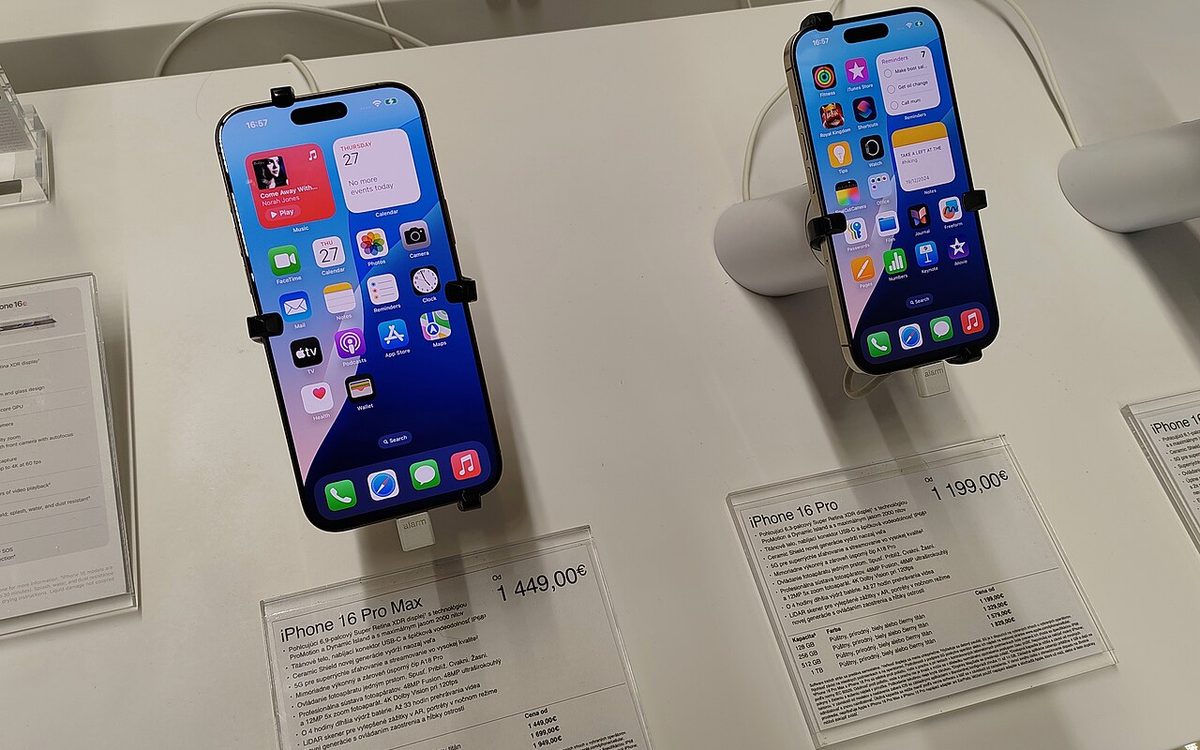
Cover photo: iPhone 16 Pro series by Jakub CA, CC BY 4.0, via Wikimedia Commons (cropped).
Related posts
Flutter 3.50: An Upgrade Plan for Production App Teams
Flutter 3.50 deprecates the bundled Material library, makes native interop stable and tightens Android Intents. What can break and a safe upgrade order.
Apple's New Age Rating Questions: Shared Location and Dating
From November 16, App Store Connect asks about location sharing and dating or AI romance features. Here is who is affected and how to update before January 12, 2027.
Apple Retention Messages Are Live: Cut iOS Subscription Churn
Apple now lets every app show a message, image or discount on the subscription cancel screen. How it works, what App Review rejects, and a setup checklist.