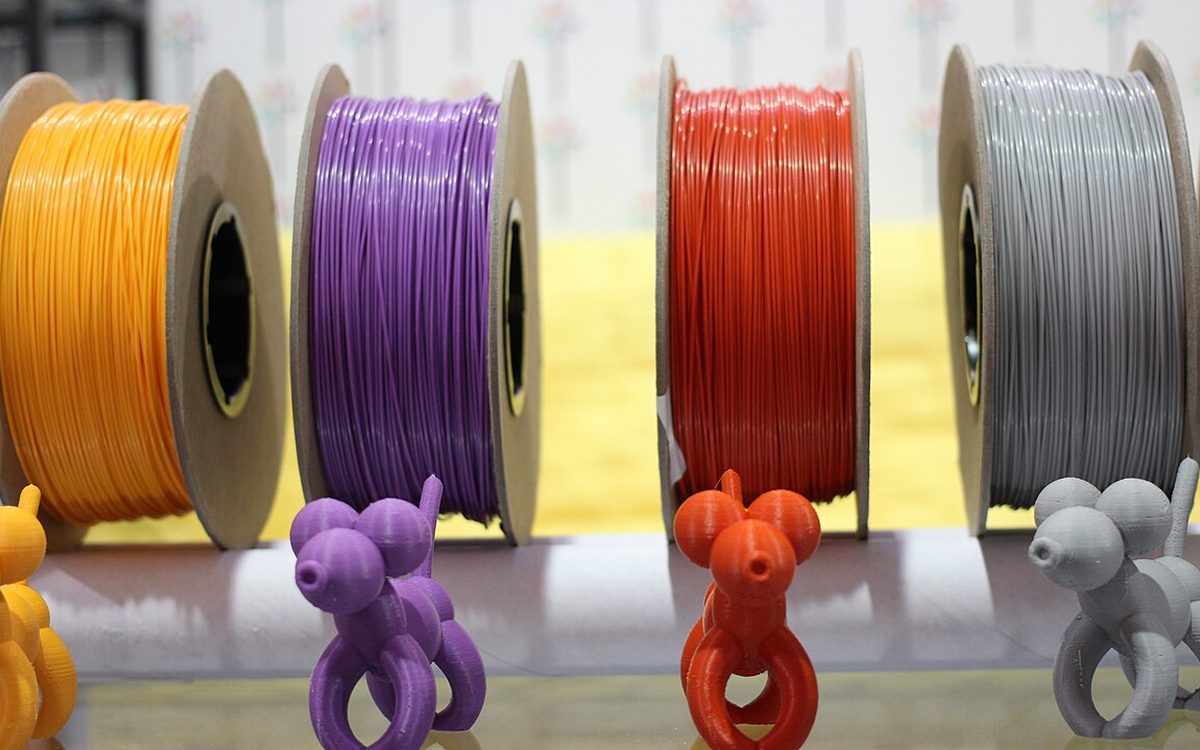
Most multicolor FDM printers stop at four or five loaded spools, so a model with twelve colors used to mean twelve spools or a lot of manual swaps. In 2026 the three big slicer ecosystems all added a different answer: print thin alternating layers of a few semi-translucent filaments and let the eye blend them into new shades. Prusa says five spools give 45 shades, Bambu Lab ships a CMYKW kit for it, and Snapmaker released a new four-spool bundle in October. This guide explains how the technique works, what each slicer does, and how to get a clean first print.
▶ Watch the video version (about 4 minutes):
What "color mixing" actually means on an FDM printer
An inkjet printer makes thousands of colors from cyan, magenta, yellow and black dots. Print shops call this halftoning. FDM color mixing uses the same idea, but along the Z axis: instead of dots, the slicer alternates thin layers of two or three filaments. Seen from normal viewing distance, a part with alternating cyan and yellow layers reads as green.
Prusa's explanation adds one detail that matters for 3D printing: there is no white paper behind the "ink". That is why most kits are CMYW (with white) for four-tool printers, and CMYWK (adding black) for five tools or more. Mixing cyan, magenta and yellow gives a bluish grey, not a true black, so a dedicated black spool is needed for deep shades.
The idea came from the community. Radu "Ratdoux" built OrcaSlicer-FullSpectrum, a fork of Snapmaker Orca for the multi-toolhead Snapmaker U1 that adds "virtual" mixed filaments you can assign like real ones. Justin H. Rahb's filament-mixer library predicted the resulting colors. Within a few months, the official slicers followed.
Three ecosystems, three implementations
Bambu Studio. Version 2.5.3 added Color Mixing as an experimental feature. You click "Add Mixed Filament" under the filament list and mix two or three filaments of the same type, either with a slider (two colors) or a color triangle (three). The release note credits Ratdoux's approach for the color prediction. According to the Bambu wiki, a Gradient mode with an editable Gradient Color Curve needs version 2.7.1 or later, and a "Texture to Color Painting" import can convert textured OBJ, glTF, GLB or FBX models into mixed colors automatically. Bambu recommends its PLA Palette kit (cyan, magenta, yellow, black, white) because its colors are in the slicer's database.
PrusaSlicer and EasyPrint. Prusa released Prusa ColorMix in May 2026, in PrusaSlicer 2.9.6 and its EasyPrint cloud slicer. The difference is the color model. Instead of a paint-mixing model, Prusa started from the Yule-Nielsen halftone equation and corrected it against colorimeter readings of real prints. The model is published under the MIT license as prusa3d/prusa-fdm-mixer. All3DP noted the trade-off: the calibration so far uses Prusament PLA on a Prusa XL only. Prusa says the same: PETG, ABS, other PLA brands and glitter or metallic filaments are outside the measured set.
Snapmaker Orca. Snapmaker brought the Full Spectrum workflow into its official slicer and hired Ratdoux. On October 22, 2026 it released the PLA Full Spectrum Filament Bundle (White Edition): semi-translucent cyan, magenta and yellow plus white, four 1 kg spools for US$89. It joins a darker Gray Edition and a CMYK lithophane bundle.
| Bambu Studio | PrusaSlicer / EasyPrint | Snapmaker Orca | |
|---|---|---|---|
| Feature name | Color Mixing (experimental) | Prusa ColorMix | Full Spectrum mixed filaments |
| Minimum version | 2.5.3 (gradients 2.7.1) | PrusaSlicer 2.9.6 | Official Snapmaker Orca builds |
| Colors per mix | 2 or 3, same material type | 2 or 3 (1:1, 1:3, 3:1, 1:1:1) | 2 or more |
| Official filament kit | PLA Palette (CMYKW) | Prusament PLA ColorMix (CMYWK) | PLA Full Spectrum bundles |
| Color model | Based on Ratdoux's approach | Yule-Nielsen, calibrated on prints, MIT | filament-mixer plus other models |
Translucent or opaque filament?
This is the choice that most affects results. Prusa tested most CMYW and CMYWK sets on the market before making its own, and wrote up the findings in its ColorMix filament announcement on September 8, 2026:
- Opaque, saturated filament gives bright colors, but on surfaces that are not vertical you see strong stripes of the alternating layers.
- Semi-translucent filament blends much more smoothly. A 1:1 mix of two colors is hard to identify as a mixed print even up close, and flat top and bottom surfaces also look like the mixed color.
- Black and white opacity is the hard part. Mixes always drift darker, so an opaque black overpowers everything, and an opaque white turns colors pastel instead of simply lighter.
Prusa ended up selling both: translucent PLA ColorMix in cyan, magenta, yellow, white and black, plus gold and silver glitter, at US$32.99 per kilogram or US$209.99 for all seven; and an opaque PLA CMYK bundle with Pristine White for US$143.99. Its product page counts 26 colors from four filaments and 105 from seven. Snapmaker's October bundle makes the same argument, saying its colors and Transmission Distance values are tuned "to help reduce visible horizontal stripes."
Practical rule: use translucent sets for organic models, figurines and anything with curves. Use opaque sets when you want maximum saturation on mostly vertical walls, or when infill showing through would be a problem.
Which printers it suits
Color mixing works on any printer that can change filament mid-print, but the cost differs a lot.
- Tool changers and multi-nozzle printers (Prusa XL, CORE One with INDX, Snapmaker U1, Bambu H2C or the new H3C) switch quickly with little purge. Prusa warns that tool changers need an accurate XY offset between nozzles, or the mixed color looks uneven.
- Single-nozzle printers with a filament switcher (AMS, MMU3, CFS) work, but every color change is a purge. Bambu's own example: a model with four source filaments and about 170 color changes used 130 g of filament on a single-nozzle printer and 35 g in total on a multi-nozzle machine.
Bambu's release note goes further and says single-nozzle printers are "not recommended" for this feature. If you only have an AMS-type setup, start with small models and two-color mixes, and turn on flushing into infill and supports.
Settings that make or break the first print
The vendors agree on most of the numbers, with small differences:
- Layer height. Prusa recommends 0.15 mm maximum, 0.1 mm for the best result. Bambu offers two modes. With "Mixed color sublayer" on, keep a normal 0.20 or 0.24 mm preset and let the slicer split each layer into thinner sublayers. With it off, use 0.08 to 0.12 mm and fixed ratios.
- Ratios. Stick to 1:1, 1:2, 1:3 and 1:1:1. Prusa explains why: a 30:70 mix needs a ten-layer repeating block, which eats vertical resolution and stripes. Extreme ratios also create very thin sublayers (down to 0.02 mm in Bambu Studio), which can cause melt fracture on the surface.
- Don't combine with variable layer height. Bambu's wiki says the two features together give uneven transitions and layers that are too thin.
- Infill. Prusa suggests gyroid at 5 to 10 percent so infill seen through translucent walls looks uniform.
- Dark colors dominate. Lower the share of the darker filament in a mix.
- Keep to two colors when you can. Prusa compares mixing four colors to dipping a brush in every watercolor: you get muddy brown. Two-color mixes are the most predictable.
- Use a fixed spool order. Prusa proposes cyan, magenta, yellow, white, black, gold, silver on every printer so shared ColorMix models load correctly. It is worth adopting even on other brands.
- Print a test swatch. Both Bambu and Prusa say the on-screen preview is close but not exact. Print a calibration cone or swatch card with your own spools first.
Where it works well, and where it doesn't
Good fits:
- Models with near-vertical walls: vases, lanterns, figurines, nameplates, sea animals, low-poly decor.
- Shading rather than rainbows. Prusa points out that the real gain is several shades of a similar color, which makes prints look less like toys. Black, white and the two glitters alone give about 20 greys.
- Educational and architecture models: cell diagrams, anatomical hearts, and greyscale building models that need tone without a dozen spools.
Poor fits:
- Sloped and curved top surfaces. Bambu says the feature suits near-vertical walls and is not recommended for slopes or top and bottom surface layering. Translucent sets help here but don't remove the issue.
- Functional parts. Mixing is only supported within one material type in Bambu Studio, and the thin sublayers trade some surface quality for color. Brackets, clips and gears should stay single-material.
- Sharing on MakerWorld. At the 2.5.3 release, uploading 3MF files with mixed filaments to MakerWorld was not supported.
Our take
For Lightning Lab in Da Nang, color mixing changes the math on display pieces more than on anything mechanical. Take three typical requests. A client wants a souvenir model, a school wants a colored cell model, an architecture student wants three grey tones on a facade. Before, that meant buying spools in each shade and storing them in a humid climate. Now four or five well-dried translucent spools cover most of those jobs, and keeping fewer spools dry is a real saving here.
We would not use it yet for color-matched brand work. The color models are calibrated on specific filaments, previews are approximate, and every vendor tells you to print a test swatch first. Our approach: one calibration card per spool batch, two-color mixes by default, 0.12 to 0.15 mm layers, and a quote that includes the extra print time.
Sources
- Prusament PLA ColorMix: Print 45 color shades using just five filament spools (Prusa Research, Sep 8, 2026)
- Our new open-source ColorMix for EasyPrint and PrusaSlicer (Prusa Research, May 26, 2026)
- Color Mixing (Bambu Lab Wiki)
- Bambu Studio V2.5.3 Release Note (Bambu Lab Wiki)
- OrcaSlicer-FullSpectrum (Ratdoux, GitHub)
- Snapmaker introduces new filament bundle (PRWeb, Oct 22, 2026)
- Prusa ColorMix in PrusaSlicer 2.9.6 Beta (All3DP, May 27, 2026)
Want a multicolor display model, a shaded architecture model or a test print with a CMYW set before you buy one? Email lab@lightning-studio.org or visit Lightning Lab.
Cover photo: 3D Printing Materials by Maurizio Pesce from Milan, Italia, CC BY 2.0, via Wikimedia Commons (cropped).
Related posts
Mixed Nozzle Sizes in One Print: How Bambu Studio 2.9.1 Does It
Bambu Studio 2.9.1 lets a 0.2 mm nozzle print fine details while a larger nozzle prints the body at thicker layers. How it works, its limits, and options for other printers.
OrcaSlicer 2.5 RC: What Changed and How to Upgrade Safely
OrcaSlicer 2.5.0 RC adds Python plugins, color mixing, belt printing and a CAD tab, plus one multi-filament change that can alter old projects. Here is a safe upgrade plan.
Formlabs Form Studio 1 at $699: Who Should Pay More for Resin?
Formlabs' $699 Form Studio 1 targets budget resin printers. What you get, what Open Material Mode really means, and when a $400 MSLA printer is still the smarter buy.