OrcaSlicer 2.5.0 is close to final. The project published the release candidate on November 1, 2026, only sixteen days after the alpha, and the maintainers now call it "stable enough for everyday use". It is the biggest update the open-source slicer has shipped, with Python plugins, color mixing, belt printing and an experimental CAD tab, but it also changes how some multi-filament projects slice. This guide explains what is new, what can break, and how to move a working printer onto 2.5 without wasting a weekend of filament.
▶ Watch the video version (about 4 minutes):
The 2.5 timeline in one paragraph
The current stable version is 2.4.2, released on July 7, 2026, a maintenance update focused on profiles, cloud sync and printer connectivity. Version 2.5.0 arrived as an alpha on October 16, built from more than 950 pull requests by over 140 contributors. A beta followed on October 27 and the release candidate on November 1. The RC is still marked as a pre-release on GitHub and there is no announced date for the final 2.5.0. As FilamentFeed noted, five days is a short beta window, so treat the RC as "probably fine, still worth testing" rather than a finished product.
What is actually new
Python plugins
This is the architectural change. A plugin is a single .py file or a .whl package that runs on a Python runtime bundled with OrcaSlicer, so you install nothing extra. According to the alpha notes, a plugin can add one-click scripts, step into the slicing pipeline to edit layers or rewrite G-code, add its own tab or docked panel, and react to events such as a finished print. You install plugins from a file or subscribe to them on the Orca Cloud plugin hub, which also delivers updates.
Security matters here. Plugins cannot read OrcaSlicer's own config file or your Orca Cloud login token, and a plugin must ask before it touches files outside OrcaSlicer's data folder, goes online or starts another program. The release notes are blunt about the limits: "This is a permission system, not a sandbox, so only install plugins from sources you trust." The plugin API is also new and may still change.
Color mixing
Ported from Bambu Studio, color mixing combines two or three loaded filaments of the same type into a new "mixed filament" slot. The printer lays them down as thin alternating layers, so a small set of spools covers a wider palette. A Mixed color sublayer option splits those layers further for a smoother blend and can print gradients, and Decompose Color suggests how to reach a target color from what is loaded. The alpha notes say mixes do not make the prime tower bigger. Expect a visible layer pattern up close: this is optical mixing, not dyed filament.
Texture Displacement
A new toolbar tool turns a painted area into real relief geometry, such as knurled grips, brickwork or wood grain. You pick one of more than 40 built-in textures or import a PNG, JPG or BMP, set depth and tile size in millimetres, and press Bake. Unlike fuzzy skin, baking changes the mesh itself, and up to eight texture layers can be stacked. Everything is saved in the .3mf, so the texture remains editable later.
Belt printers, IDEX and IQEX
OrcaSlicer now slices for belt (conveyor, "infinite Z") printers natively. It rotates the model to the belt angle, usually 45 degrees, and slices it with the normal engine, so walls, infill and seams work as usual. Profiles ship for the Printcepts BabyBelt Pro and IdeaFormer IR3 V2, plus a generic profile you can adapt. Skirt, raft, the standard prime tower and arc fitting are disabled on belt machines.
For printers with independent carriages, a new parallel mode prints two to four copies at once, straight or mirrored, on IDEX, dual-gantry and IQEX machines, with Klipper, RepRapFirmware and Marlin 2 supported (release notes).
Design tab (experimental)
A sketch-first parametric CAD workspace now lives inside the slicer: sketch, constrain, extrude, revolve, fillet, add ISO or ANSI holes and real modelled threads, then press Commit to Plate. The feature history is saved in the 3MF, so changing a dimension rebuilds the part. It is off by default; enable CAD feature (experimental) under Preferences > General > Features and restart. For quick brackets and spacers this can save a round trip through another CAD program. For anything you need to maintain for years, keep using a dedicated CAD tool.
Speed and smaller quality-of-life changes
The performance numbers in the alpha notes are the authors' own benchmarks, but they are large. On Windows the home page was ready in 3.4 s instead of 7.5 s, polygon clipping cut slicing time by about 35% on the bundled samples, and G-code export was 37.7% faster. The beta added shorter travel moves and, per FilamentFeed's summary of the beta notes, slicing up to twice as fast on detailed models. Speed Dial (press Space) searches every command and setting. On the hardware side, 2.5 adds profiles for the Bambu Lab H2C and A2L and lets the two nozzles of an H2D or X2D have different diameters.
2.4.2 vs 2.5.0 RC at a glance
| Area | 2.4.2 (stable) | 2.5.0 RC |
|---|---|---|
| Status | Official release, July 2026 | Pre-release, November 1, 2026 |
| Extensibility | Post-processing scripts only | Python plugins + Orca Cloud hub |
| Multi-color | Filament per feature, painting | Adds color mixing and gradients |
| Surface detail | Fuzzy skin | Adds baked Texture Displacement |
| Printer types | Standard FDM; no H2C/A2L profiles | Adds belt, IDEX/IQEX parallel, H2C, A2L |
| CAD | None | Experimental Design tab |
| G-code output | Baseline | Changed routing; every print's G-code differs |
What can break when you upgrade
1. "Default" in Filament for Features now means the object's filament. This is the RC's one intentional behavior change. Before, assigning a filament to sparse infill, internal solid infill or a top/bottom surface could quietly switch other features left on Default to that filament too. Now Default always means the object's or part's own filament. If you print infill in a cheaper spool and relied on the old side effect, those features will print in the shell filament after the upgrade. The RC notes advise setting those features explicitly.
2. Your G-code will change. The beta's new routing affects every print. Print time estimates and filament use will shift slightly, so do not reuse a quote or a tuned time budget without re-slicing.
3. Filament IDs and preset locations moved. According to BambuHub's coverage, every filament product now gets its own ID, so check your AMS slot assignments after the upgrade. About 700 third-party presets for Bambu printers moved to the Orca Filament Library with names and settings unchanged.
4. Some hardware support is still young. The alpha notes state that Filament Track Switch support "hasn't been tested on hardware yet". If you own an H2C, the RC fixes several beta crashes and nozzle-mapping bugs, but you are still an early tester.
5. Plugins are code. A slicing-pipeline plugin can rewrite your G-code. One bad plugin can ruin a print or, in the worst case, crash a nozzle into a part. Read every permission prompt.
A safe upgrade checklist
- Back up first. Export your custom printer, filament and process presets, and copy a few important
.3mfprojects. If you use Orca Cloud, confirm your presets are synced. - Install the RC side by side. Use the portable Windows build or a second machine so 2.4.2 stays available. Downloads are on the RC release page.
- Re-slice three reference projects in both versions: a single-color part, a multi-filament part that uses Filament for Features, and your most common production job. Compare time, filament weight and the preview.
- Fix Default assignments. In Process > Multimaterial > Filament for Features, set infill and surface filaments explicitly wherever you relied on the old behavior.
- Check AMS mapping on Bambu printers before the first print, because of the new filament IDs.
- Print one calibration piece (a flow or pressure advance test) with your main filament before running real jobs.
- Add plugins one at a time, only from authors you trust, and note which presets use them: presets remember their plugins, and slicing stays disabled on a computer that is missing one.
- Keep 2.4.2 installed until the final 2.5.0 ships and your reference projects match.
Who should upgrade now, and who should wait
Upgrade to the RC now if you own a Bambu Lab H2C or A2L and want OrcaSlicer (2.4.2 has no profiles for them), run a belt or IDEX machine, or want color mixing and texture tools for decorative work. Hobby users with a single printer can also try it, as long as they keep a backup.
Wait for the final 2.5.0 if you run a small print farm or sell parts, especially multi-filament parts with tuned Filament for Features settings, or if you depend on the Filament Track Switch. The benefits are real, but the cost of a silent material change across a batch of customer parts is higher than a few weeks of patience.
Our take
At Lightning Lab in Da Nang we print functional parts, student models and small batches for local customers, so predictability matters more to us than new features. Our plan is simple: production jobs stay on 2.4.2, and a second computer runs the RC against our reference projects until the final release. The feature we are most interested in is not the CAD tab but Texture Displacement, because grip textures and decorative surfaces currently cost us extra modelling time. Color mixing is useful for prototypes and display pieces, but for client parts that need an exact color we will still buy the right spool.
The bigger story is plugins. If the community builds good tools, such as quoting helpers, farm logging or material-specific checks, OrcaSlicer turns from an app into a platform. That also means slicer hygiene now looks a bit like software hygiene: version pinning, backups and caution about what you install.
Sources
- OrcaSlicer V2.5.0 RC release notes (GitHub)
- OrcaSlicer V2.5.0 Beta release notes (GitHub)
- OrcaSlicer V2.5.0 Alpha release notes (GitHub)
- OrcaSlicer v2.4.2 release notes (GitHub)
- OrcaSlicer Wiki: Releases
- FilamentFeed: OrcaSlicer 2.5.0 RC, what changed
- BambuHub: OrcaSlicer 2.5 Alpha, H2C and A2L, with caveats
- 3Druck: OrcaSlicer 2.5.0 Alpha overview
Need help setting up a slicer profile, testing a new material or printing a batch of parts in Da Nang? Email lab@lightning-studio.org or visit Lightning Lab.
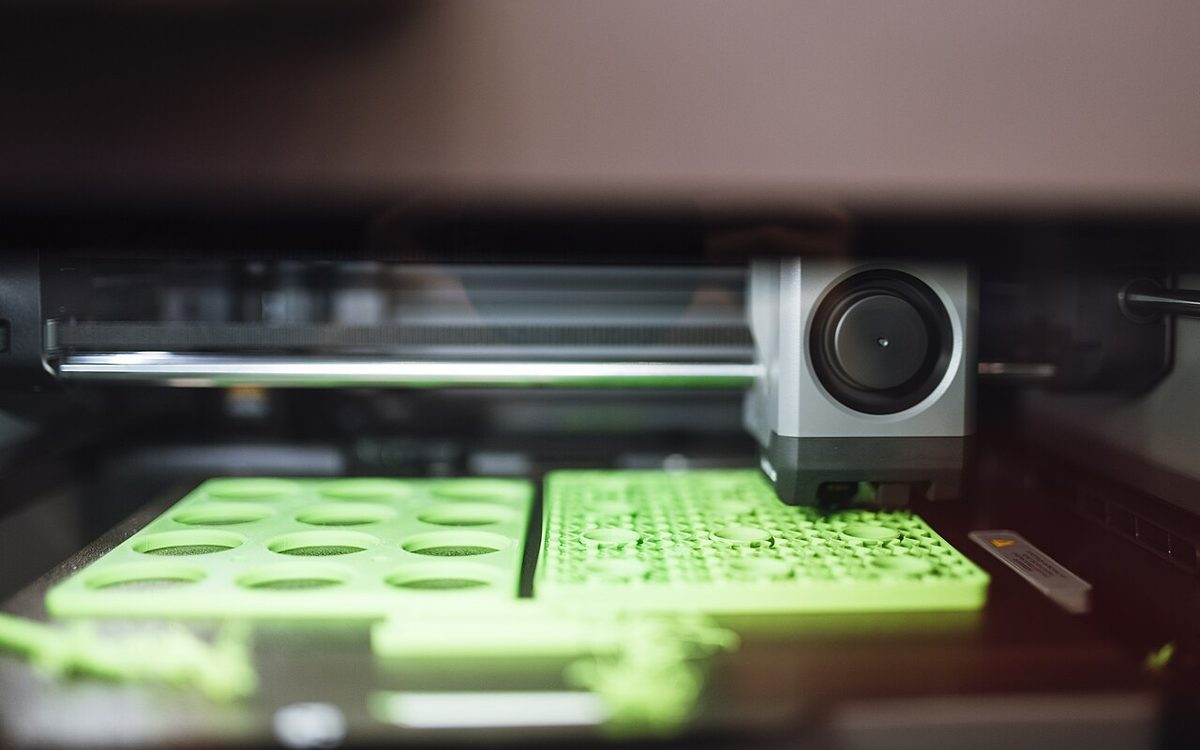
Cover photo: 3D printer working on green model parts by Shixart1985, CC BY 2.0, via Wikimedia Commons (cropped).
Related posts
Formlabs Form Studio 1 at $699: Who Should Pay More for Resin?
Formlabs' $699 Form Studio 1 targets budget resin printers. What you get, what Open Material Mode really means, and when a $400 MSLA printer is still the smarter buy.

3D Printing Glossary: English and Vietnamese Terms Every Maker Should Know
About 50 key 3D printing terms in English and Vietnamese, grouped by process, machine parts, slicer settings, materials, defects and post-processing.
Lightweight Foaming PLA: How to Print It and When It Makes Sense
Prusa, Bambu Lab and colorFabb now all sell foaming PLA. How temperature and flow control weight, how to beat stringing, and what strength you give up.