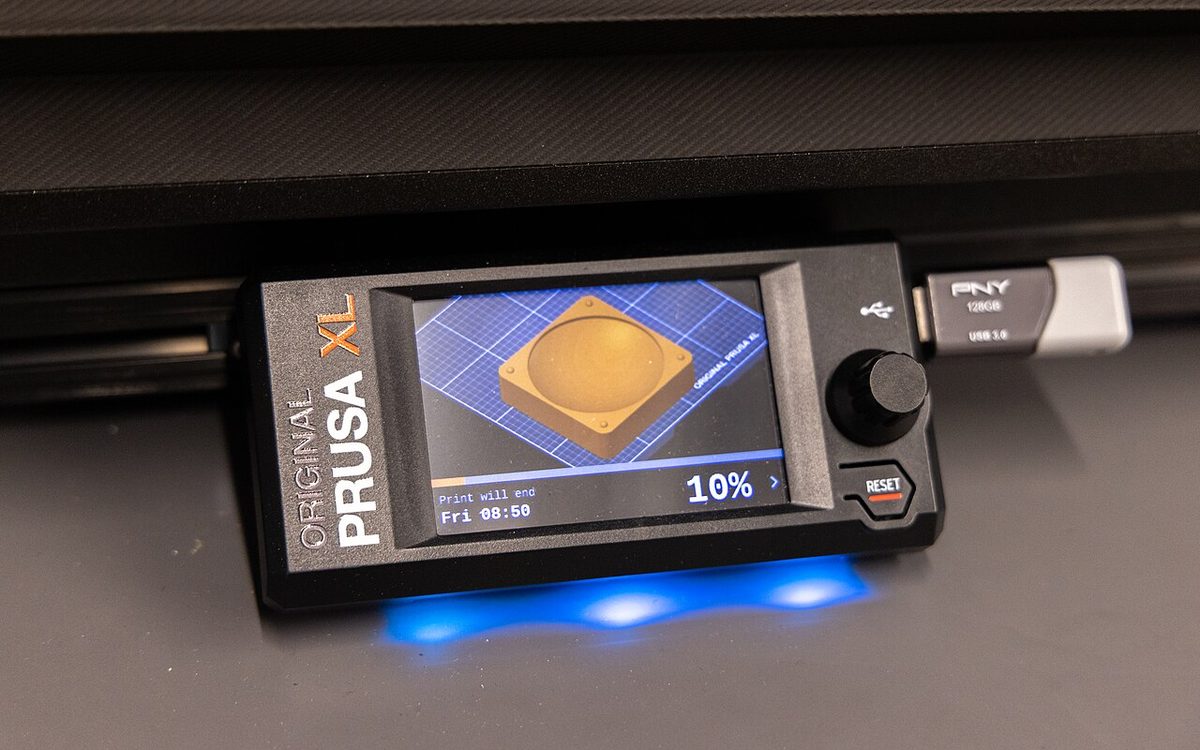
On November 2, 2026, Prusa Research published security bulletin PSA-2026-002: 14 findings in the Buddy firmware that runs the MK4, MK3.5, MINI, XL and the whole CORE One family. The fixes have been out since October, but the researcher who found the bugs plans to publish working exploit code in December. If you own one of these printers, or run any networked printer in a shared office, school or lab, this is a good week to update firmware and check how the machine sits on your network.
▶ Watch the video version (about 4 minutes):
What Prusa disclosed on November 2
The bulletin covers work by independent researcher Yannick Dixken, who spent one week in August attacking his own MK4S on firmware 6.5.7. In his write-up, Never gonna print you up!, he describes 14 findings made up of roughly 23 individual defects, found with a fuzzer, a Cortex-M emulator and AI-assisted code review. His demo ended with the printer's main controller running his own code and showing a Rick Astley frame on the display, which is why Tom's Hardware called it a Rickroll.
According to the official bulletin and the summary by The Crafty Catsman, the key points are:
- All findings are fixed in firmware 7.0.0 and later, including 8.0.0, except one EEPROM defect (PFB-011) that is only partly fixed. That one needs physical access and opening the printer.
- The most serious bug (PFB-008) is a buffer overflow in the Prusa Connect handler, with a preliminary CVSS 3.1 score of 8.1 (High). It allows code execution on the main controller, but only when the printer talks to a Connect server the attacker controls, or to one without TLS where traffic can be intercepted.
- A network-stack flaw (PFB-012) lets any host that can reach the printer's TCP services make PrusaLink, Connect and mDNS stop responding, without a password.
- USB attacks exist too. A crafted file name on a USB stick (PFB-007) can hijack the program counter, and a crafted encrypted G-code header (PFB-013) can crash the printer while it reads a preview.
- Prusa says none of the issues can be used to attack a printer directly from the internet, none gives access to Prusa accounts, passwords or payment data, and it knows of no attacks on customers.
The timeline also matters: Dixken reached Prusa on August 16, Prusa confirmed the findings on September 9, firmware 7.0.0 shipped on October 5 for the CORE One and CORE One L and on October 15 for every affected model, and 8.0.0 followed on October 22.
Which printers are affected
The bulletin names 15 printers running Buddy firmware older than 7.0.0. Prusa's firmware download pages list these builds as the newest:
| Printer family | Affected models | Newest firmware (Nov 2026) |
|---|---|---|
| CORE One | CORE One, CORE One+ (Gen 2), CORE One L, CORE One L+ | 8.0.0 (Oct 22) |
| CORE One INDX | CORE One INDX, CORE One+ (Gen 2) INDX | 8.0.0 (Oct 22) |
| XL | XL, XL+ | 8.0.1 (Nov 3) |
| MK4 / MK3.9 | MK4, MK4S, MK3.9, MK3.9S | 8.0.0 (Oct 22) |
| MK3.5 | MK3.5, MK3.5S | 8.0.0 (Oct 22) |
| MINI | MINI, MINI+ | 8.0.1 (Nov 3) |
The older MK3S+ and MK3 are not on the list. They run a separate 3.x firmware line. Any version from 7.0.0 up contains the fixes, so you do not need to chase the newest build if 7.x works well for you.
How serious is it, really?
The headline score of 8.1 sounds alarming, but the realistic risk depends on how your printer is set up. Prusa's bulletin includes its own risk table; here is a simplified reading of it:
| Your setup | Practical risk before updating |
|---|---|
| Offline, prints only from USB | Low, but a malicious USB stick can crash it |
| Wi-Fi/LAN, official Prusa Connect with TLS | Low: the printer checks Connect's certificate |
| Shared network (office, school, makerspace) | Higher: any host on the LAN can knock PrusaLink offline |
| Custom Connect server without TLS | Medium: the setup Dixken used for the full exploit |
The reason to act now is not today's risk; it is the date. Dixken wrote that he will release proof-of-concept code "most probably in December". Once working code is public, the skill needed to attack an unpatched printer on a shared network drops a lot. Prusa also notes that in the worst case an attacker "might also be able to read the Wi-Fi password and Connect token stored in the printer, or use the printer to reach other devices on the network", while adding that this was not demonstrated and would be hard to do.
Update checklist, step by step
- Check the version. On the printer, open the settings or info menu and note the firmware version. Anything below 7.0.0 needs an update.
- Download from the source. Type prusa3d.com into your browser yourself and go to the downloads page for your exact model. Do not use links in emails (see the phishing section below).
- Install. Update through Prusa Connect, PrusaLink or a USB drive with the
.bbffile from the download page. Prusa says firmware updates are signed and verified, so the update path itself is not affected by the bugs. - Re-test a known print. Firmware 8.0.0 adds a new filament acceleration limit (M204 F) that is enabled by default. Before a long job, print a familiar model and compare time and quality.
- Check every machine. In a print farm it is easy to miss one printer that was rolled back to 6.x after a 7.x problem. Prusa asks owners in that situation to try the latest version and contact support if the problem remains, rather than staying on 6.x.
- Write it down. Keep a simple log of printer, serial number, firmware version and update date. Schools and companies will want this later.
Beyond the patch: network hygiene for any printer
Firmware bugs will keep appearing in every brand. Dixken's own conclusion is that printers have network stacks, cloud integrations, USB hosts and file parsers, and are "bolted to heaters and stepper motors". A few habits reduce the damage of the next bug, whatever printer you own.
- Put printers on their own network. A guest Wi-Fi or a separate VLAN for printers means a compromised laptop cannot reach them, and a compromised printer cannot reach your file server.
- Never forward ports to a printer. The OctoPrint project has warned for years that putting a printer interface on the public internet is "a terrible idea"; it recommends remote-access plugins or a VPN instead. The same applies to PrusaLink and any web interface on a printer.
- Keep TLS on. Prusa's medium-risk case is a custom Connect server without TLS. If you self-host anything, use proper certificates.
- Treat USB sticks as input, not storage. In a classroom or makerspace, use sticks that stay with the printer and do not travel between home PCs.
- Rotate credentials after an incident. If you suspect tampering, change the Wi-Fi password and regenerate the Connect token or PrusaLink API key after updating.
Bambu Lab owners: what LAN Only and Developer Mode mean
Bambu Lab printers use a different model. Since its authorization firmware, many control commands need Bambu Studio or Bambu Connect. LAN Only mode keeps traffic on your local network, and Developer Mode opens the MQTT channel, live stream and FTP without that authorization so third-party tools can work. Bambu's wiki says Developer Mode gives you "full control over your printer and its network security", which also means the security is yours to manage. If you enable it for Home Assistant or a farm manager, the separate-network rule above matters even more.
The phishing problem
Prusa's notice to customers created a second lesson. On October 30 it emailed owners of the affected printers asking them to update "as soon as possible". As Makers101 reported, several readers flagged it as phishing: it had a "PRUSA PRO" banner, the download button went through a HubSpot tracking link, and it asked for 7.0.0 when 8.0.0 was already out. A Prusa staff member confirmed the email was "legitimate but not well executed".
That is exactly what a fake firmware email would look like. The safe habit is simple: whenever an email asks you to update firmware, ignore its buttons, open the vendor's website yourself and download from the official page.
What this says about 3D printer security in 2026
Two things stand out. First, finding bugs got cheaper. Dixken, who had no firmware background, says AI tooling made thorough testing possible in a week; other researchers can do the same with other brands. Expect more bulletins from more vendors.
Second, the response matters. Prusa shipped fixes before disclosure, but it also held back the GPL source code for 7.0.0 and 8.0.0 to give owners time to update, which drew criticism in a GitHub issue. In the bulletin Prusa now calls that "the wrong call" and commits to same-day source releases, a working security contact and public bulletins for every security fix. Dixken, for his part, praised engineers who reproduced his work quickly. That is a good model for the industry.
Our take
At Lightning Lab in Da Nang we print client parts on shared machines, so we treat printers like any other networked device: they sit on their own network, updates are logged, and nothing is reachable from the internet. For most home users with official Prusa Connect, the risk before patching was low, and the fix is a ten-minute update. The real deadline is December, when exploit code is expected. If you run printers in a school, office or makerspace, update now, separate the printers from other devices, and make a habit of downloading firmware only from the vendor's own site. These steps cost almost nothing and will also help with the next bug, whichever brand it hits.
Sources
- Prusa security bulletin PSA-2026-002 (PDF)
- Yannick Dixken: Never gonna print you up!
- The Crafty Catsman: Prusa Firmware Security, 14 Findings
- Tom's Hardware: Software engineer Rickrolls his Prusa 3D printer
- Makers101: Prusa Firmware 7.0.0 Security Update, is the email real?
- Prusa Knowledge Base: Firmware & Downloads
- GitHub: Missing source code for Firmware v7.0.0, issue #5525
- Bambu Lab Wiki: How to enable Developer Mode
- OctoPrint: A Guide To Safe Remote Access
Running several printers in a school, office or workshop and want help setting them up safely, or need parts printed without the hassle? Contact Lightning Lab at lab@lightning-studio.org or visit https://lightning-studio.org/lab/.
Cover photo: Medical Device Development M.Eng. Program Class, Winter 2026 (55107149750).jpg) by UC Davis College of Engineering, CC BY 4.0, via Wikimedia Commons (cropped).
Related posts
Filament Color Mixing: Dozens of Shades From Four or Five Spools
Bambu Studio, PrusaSlicer and Snapmaker Orca now blend thin layers of CMYW filament into new colors. How it works, which kit to buy and the settings that matter.

Mixed Nozzle Sizes in One Print: How Bambu Studio 2.9.1 Does It
Bambu Studio 2.9.1 lets a 0.2 mm nozzle print fine details while a larger nozzle prints the body at thicker layers. How it works, its limits, and options for other printers.
OrcaSlicer 2.5 RC: What Changed and How to Upgrade Safely
OrcaSlicer 2.5.0 RC adds Python plugins, color mixing, belt printing and a CAD tab, plus one multi-filament change that can alter old projects. Here is a safe upgrade plan.