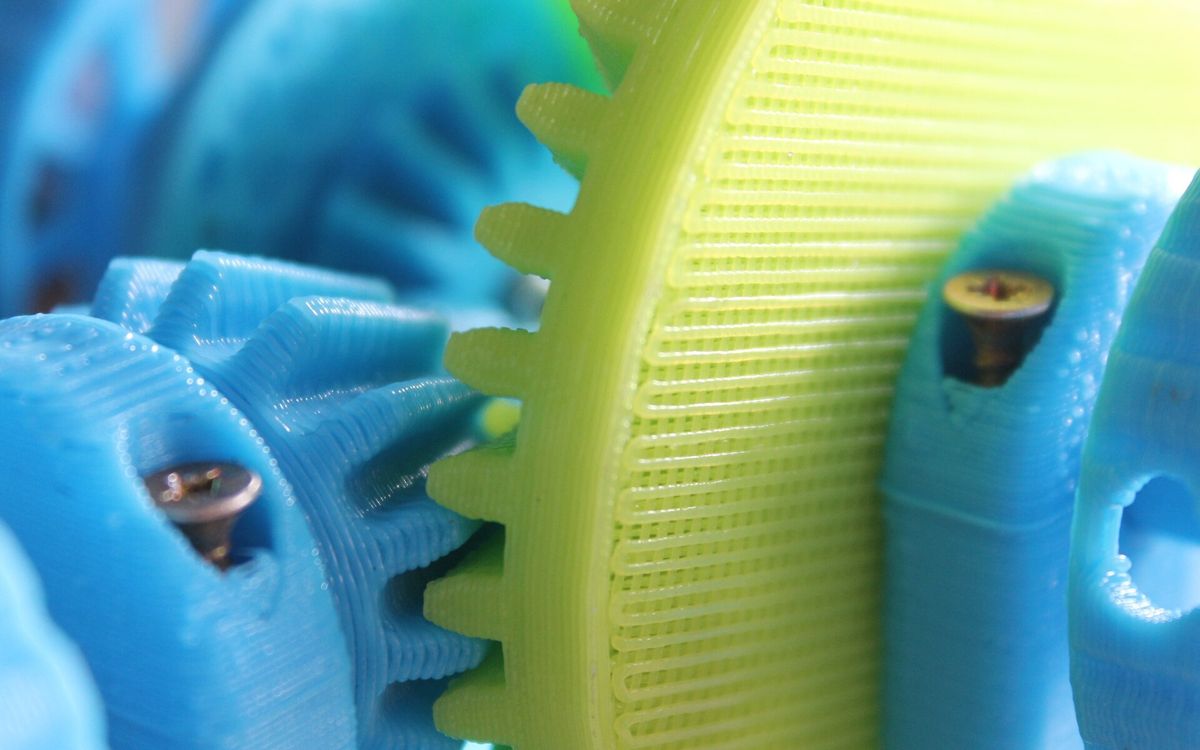
A part that looks right on screen can still refuse to fit. Printed parts are never exactly the size of the CAD model. This guide covers the clearances we use as starting points, why holes come out small, and how to design screw bosses, nut traps, snap fits and hinges that work on the first or second try.
All numbers below assume FDM with a standard 0.4 mm nozzle and a reasonably tuned printer. Treat them as typical starting values: the only reliable number is the one you measure on your own test print.
Why printed parts are not the size you drew
Three things push dimensions off:
- Extrusion width. The nozzle lays down a rounded bead of plastic. The slicer aims the edge of that bead at the model surface, but slight over-extrusion or a slightly wider bead makes outer walls a little larger and inner walls (holes, slots) a little smaller.
- Shrinkage. Plastic contracts as it cools. PLA shrinks little, PETG a bit more, ABS noticeably more, which is also why ABS warps. On large parts this adds up to a few tenths of a millimetre.
- Faceting. Curves are exported as flat triangles. A low-resolution STL turns a round hole into a polygon whose flats sit inside the true circle, so the hole is smaller than designed.
The result: outside dimensions tend to print slightly oversize, holes and slots tend to print undersize. A 5 mm hole commonly comes out somewhere around 4.7 to 4.9 mm on FDM. Resin is more accurate in XY, but still not exact, and resin parts can grow slightly if overexposed.
Z is different again. Heights are built from whole layers, so a 10.05 mm tall feature on 0.2 mm layers becomes 10.0 or 10.2 mm. If a height matters, make it a multiple of your layer height.
Clearance starting points
Clearance here means the gap per side between two mating surfaces. A 10 mm pin in a hole with 0.2 mm clearance per side needs a 10.4 mm hole.
| Fit | FDM (0.4 mm nozzle) | Resin |
|---|---|---|
| Press fit (needs force, holds itself) | 0.0 to 0.1 mm | 0.0 to 0.05 mm |
| Snug fit (assembles by hand, no play) | 0.1 to 0.15 mm | 0.05 to 0.1 mm |
| Sliding fit (moves freely, little wobble) | 0.2 to 0.3 mm | 0.1 to 0.15 mm |
| Loose fit / print-in-place | 0.3 to 0.5 mm | 0.2 to 0.3 mm |
A few practical notes:
- Press fits in FDM are risky because layer lines don't compress like machined metal. They crack or split along the layers. A slightly tapered pin, or one with small crush ribs, works better than a plain cylinder.
- The same feature fits differently depending on orientation. A hole printed vertically (axis along Z) is round; the same hole printed horizontally is round-ish with a sagging top.
- Long sliding fits need more clearance than short ones, because small warps add up along the length.
Holes: design them a bit big
Since holes shrink, we usually add 0.1 to 0.2 mm to the diameter of any hole that must accept a pin or shaft, then check with a test print. Some slicers also have a hole or XY compensation setting that expands holes automatically. That's useful, but it changes every hole in the part, so use one method, not both.
Export with enough resolution too, or use 3MF: see preparing a model for printing.
Horizontal holes (axis parallel to the bed) have an unsupported top. Small ones bridge fine; larger ones sag. Two fixes:
- Use a teardrop shape: a circle with a 45° pointed top, so the roof supports itself.
- Flatten the top of the hole slightly and drill or ream it afterwards.
For precise holes, print slightly undersize and finish with a drill bit of the exact size, at low speed.
Screws, nuts and heat-set inserts
Self-tapping screws into plastic. For an M3 screw, a pilot hole of around 2.5 to 2.8 mm is a typical starting point. Give the boss at least 3 perimeters, or roughly 1.5 to 2 mm of wall around the hole, otherwise the screw splits the layers apart. Screws driven along Z (into the top of a boss) hold better than screws driven sideways across the layers.
Clearance holes. For a screw that should pass through freely, M3 needs about 3.2 to 3.4 mm, M4 about 4.3 to 4.5 mm.
Nut traps. An M3 hex nut is 5.5 mm across the flats. A hexagonal pocket of about 5.7 to 5.9 mm across flats holds it without having to melt it in. Orient the pocket so the flats are on the sides rather than on top, and add a little extra depth.
Heat-set inserts. Brass inserts pressed in with a soldering iron give strong threads that survive repeated assembly. Always use the hole size from the insert maker's datasheet, since designs vary. As a rough guide, a common M3 insert takes a hole of around 4.0 to 4.2 mm. Make the hole about 1 mm deeper than the insert so displaced plastic has somewhere to go, and leave at least 1.5 to 2 mm of wall around it. Inserts work well in PLA, PETG and ABS. They are not a good match for TPU.
Printed threads work for larger sizes (M8 and up, or coarse custom threads). Small metric threads are better made with a tap or an insert.
Snap fits
A snap fit is a flexible arm that bends and then hooks. Whether it survives depends mostly on material and orientation.
- Material. PLA is stiff and brittle: snap fits in PLA work a few times, then crack. PETG and ABS flex more and tolerate repeated use. TPU is so soft it barely snaps at all. Our material guide compares them.
- Orientation. Print the arm lying flat so it bends along the layer lines. Never let the bending stress pull layers apart: an arm standing upright on Z will break at a layer boundary.
- Geometry. Make the arm long and thin rather than short and thick. A length of around 5 to 10 times the thickness is a reasonable start. Add a fillet where the arm meets the body, because sharp inside corners are where cracks begin.
- Hook depth. Start shallow, around 0.5 to 1 mm of undercut, and increase it if the joint doesn't hold.
Print-in-place hinges and moving parts
Print-in-place parts come off the bed already assembled. They need more gap than separate parts because nothing can be adjusted afterwards.
- Use 0.3 to 0.5 mm clearance per side for FDM. Below about 0.3 mm the gaps often fuse.
- Watch the first layer. Elephant's foot, the slight bulge at the bottom of a print, is the most common reason hinges weld shut. Keep moving gaps off the first layer, or add a small chamfer to the bottom edges.
- Keep gaps vertical where possible. Horizontal gaps rely on bridging or support, and support inside a hinge is nearly impossible to remove.
Fused gaps and elephant's foot are covered in common print defects and fixes.
Print a test coupon first
The fastest way to stop guessing is a small tolerance test. Model a plate with pins and holes at several clearances, for example 0.1, 0.15, 0.2, 0.25 and 0.3 mm per side, and label each one. It prints in well under an hour and tells you exactly what works.
Keep the test honest:
- Same material and colour as the final part. Different colours of the same material can print slightly differently.
- Same layer height, wall count and orientation.
- Measure with calipers only after the part has cooled fully.
Then design every fit in the real part from those numbers.
Need it printed?
When you send us a functional part, tell us which surfaces must fit and what they mate with, or include the mating part in your files. If a fit is critical, ask for a small test section before the full print. Share your files with lab@lightning-studio.org, or see the Lab page for how ordering works.
Cover photo: Hand-flower-green-color-blue-yellow-1095917-pxhere, CC0, via Wikimedia Commons (cropped).
Related posts

3D Printing in Education: A Practical Guide for Teachers and Schools
What to print for teaching, STEM projects students can design themselves, classroom safety, budgeting and a simple lesson flow from sketch to printed part.
Tool Changers vs Filament Swappers: Choosing a Multicolor 3D Printer
Creality K3, Sovol M1D and Bambu's upcoming H3C bring tool changing to mid-range prices. How the five multicolor approaches compare on waste, time and cost.
3D Printing Cosplay Props: Splitting, Finishing and Wearability
How to split big props to fit the bed, key and join the pieces, pick PLA, PETG or resin, keep shells light, then fill, paint and pad them for wearing.