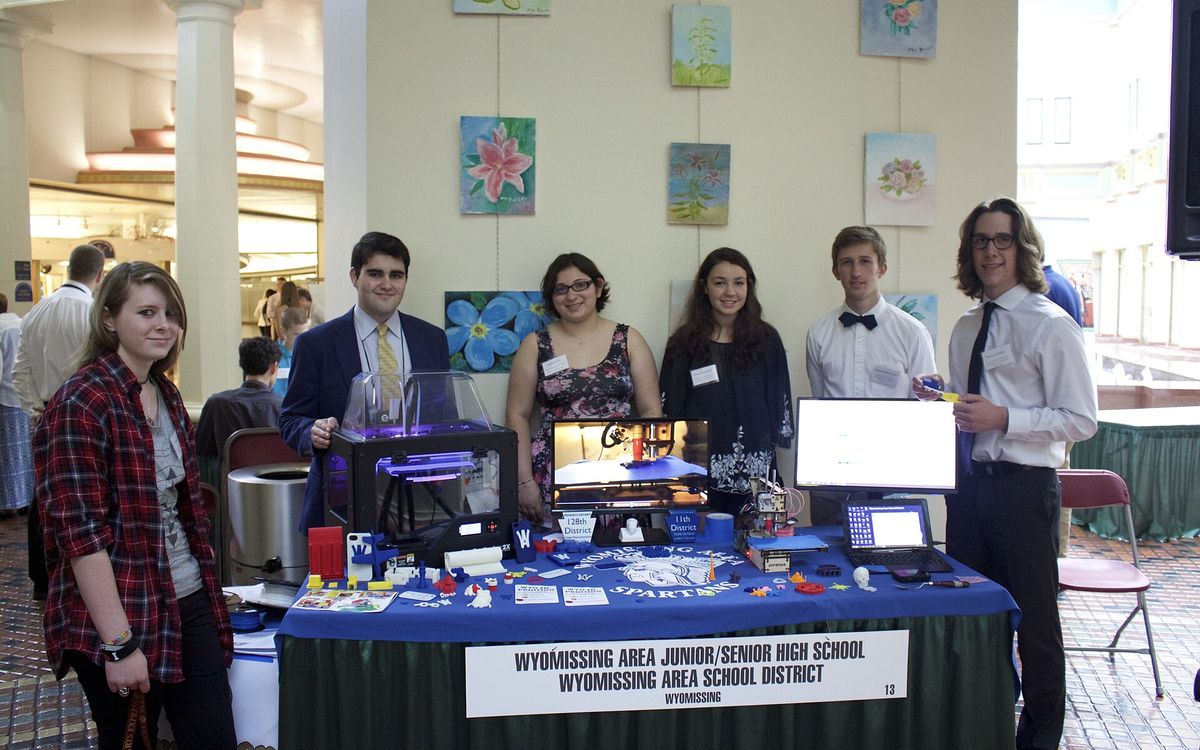
A printer in a classroom earns its place when students end up holding something they could not easily get any other way: a molecule they can turn in their hands, a relief map of their own region, a cone they can fill with rice to check a volume formula. This guide covers what to print for teaching, what students can design themselves, how to keep the room safe, how to budget, and a lesson flow that gets from an idea to a printed part.
Teaching models worth printing
Printed models are most useful where a flat diagram hides the idea. You do not have to model them yourself: public model libraries have thousands of free classroom models, and many are designed by teachers.
Chemistry: molecules and crystals
Ball-and-stick molecules such as water, methane or benzene make bond angles visible in a way a textbook drawing cannot. Print atoms and bonds as separate parts in different colours so students assemble them. In PLA, keep connecting pegs at least 3 mm thick; thinner pins snap the first time a student bends them. A unit cell of a salt crystal makes a good group build.
Geography: terrain and relief
Elevation data can be converted into a printable surface. At desk size real landscapes look almost flat, so exaggerate the vertical scale, typically 2 to 5 times. A relief map of the students' own province, with the coastline and rivers, starts conversations a paper map does not. Terrain tiles print flat on the bed with no supports, and 0.2 mm layers are fine.
Biology and anatomy
Skulls, hearts, cells, a DNA double helix. Models that split along one plane, held by pins or magnets, let students open them and look inside. Treat these as teaching aids, not medical references: free models vary a lot in accuracy, so check the source.
Mathematics: solids and sections
Platonic solids, a cone cut at different angles to show the conic sections, nets that fold into solids, and pairs of shapes for volume comparisons. A classic: a hollow cone and a hollow cylinder with the same radius and height. Students fill the cone with rice three times to fill the cylinder, and the 1/3 in the formula stops being abstract. Use 3 walls so the shapes are stiff and do not leak rice.
Student STEM projects
Printing finished models is useful, but students learn far more when they design the part. Free browser-based CAD tools such as Tinkercad work well for younger students; older students can move on to a parametric CAD tool where dimensions drive the model.
| Level | Project ideas | What it teaches |
|---|---|---|
| Primary (8–11) | Name tag, simple animal or building from basic shapes | 3D space, combining shapes, millimetres |
| Lower secondary | Phone stand, pencil holder, truss bridge for a load test | Measuring, designing for a user, structure |
| Upper secondary | Gear train, rubber-band car, assistive grip for a cup or pen | Ratios, tolerances, iteration, testing |
The constraints are what turn a craft activity into an engineering one. Give every brief limits like these:
- Must fit inside 80 × 80 × 80 mm.
- Must print in under 1 hour.
- Must print without supports.
- Must do one specific job, and you will test it.
The no-supports rule quietly teaches the 45° overhang rule (see supports, overhangs and orientation). Projects with moving or mating parts teach clearances, which is real engineering: start from tolerances for functional parts.
Classroom safety
A desktop FDM printer is safe for schools if you set a few rules and keep to them.
- PLA only in the classroom. PLA prints with the nozzle at roughly 190–220 °C, has little smell and warps less than other materials. ABS gives off styrene and more fumes; keep it out of classrooms. The material guide compares the options.
- No resin printing in the classroom. Liquid resin is a skin sensitiser and the IPA used to wash prints is flammable. If you need resin detail, have it printed elsewhere. Our resin safety guide explains why.
- Ventilation. Even PLA releases ultrafine particles while printing. Put the printer in a well-ventilated room, away from where students sit, and use an enclosure if you can.
- Heat. The nozzle is around 200 °C and the bed is often 50–60 °C. Students should not reach into the printer while it runs. Teach them to remove parts with a scraper, pushing away from the body.
- Supervision. Decide in advance whether the printer may run unattended. A school is not a staffed print farm, so many schools only print during the day.
- Small parts. With young children, remember that small printed pieces are a choking hazard.
Budgeting
The printer is the visible cost, but plan for these too:
- Filament. Usually sold on 1 kg spools. A keychain or name tag is often 5–15 g, a phone stand 30–60 g. A class of 30 at 20 g each uses about 600 g.
- Spares. Nozzles, a spare build surface, a scraper, flush cutters for supports.
- Printer time. This is the real limit. 30 students × 45 minutes each is over 22 hours of printing for one class. Batch several small parts on one plate and print between lessons.
- Teacher time. Levelling, clearing jams, slicing and removing prints. Someone has to own the printer.
Outsourcing makes sense for large or detailed models, for a whole class set with a deadline, or before the school owns a printer at all. What 3D printing costs explains what drives the price of a print.
A simple lesson flow: from design to print
This works over three to four lessons.
- Brief (15 min). Present the problem and the constraints. Show a real example.
- Sketch (20 min). On paper, with dimensions in millimetres. No computer yet.
- Model (1–2 lessons). Build it in CAD. Check sizes against the sketch.
- Check. Export an STL, confirm it sits flat, and check that walls are at least 1.2 mm thick, which is 3 perimeters with a standard 0.4 mm nozzle. Preparing a model for printing has a checklist.
- Slice. 0.2 mm layer height and 15–20 % infill suit most school projects. Let students see the estimated time and grams; it makes the cost of their choices concrete. Background: layer height and infill and walls.
- Print. Batch the plates. Emboss each student's initials on the base of their part.
- Test and revise. Does it do its job? What failed? Change one thing and print again. Our defects and fixes guide helps diagnose failed prints.
Assess the process, not just the final part: the sketch, the reason for each revision and the test result say more about what a student learned than how smooth the print looks.
Common mistakes in school projects
- Parts that are too big. One 4-hour print per student does not fit a school week.
- Thin details. Embossed text with strokes under 1 mm wide or tall usually prints badly.
- Shapes that do not touch. In CAD, pieces can look joined but float apart; group or merge them.
- Expecting the first print to work. Plan for a second round. It is part of the lesson.
Need prints for your class?
We print teaching models, class sets and student projects in PLA, and in resin when fine detail matters, with special rates for students. Small parts are often ready within 24 hours and larger models usually take 2–3 days, with same-city delivery in Da Nang. Share your files via Google Drive with lab@lightning-studio.org or see the Lab page.
Cover photo: PAECT 3D Printing Students by Cm300883, CC BY-SA 4.0, via Wikimedia Commons (cropped).
Related posts
Tool Changers vs Filament Swappers: Choosing a Multicolor 3D Printer
Creality K3, Sovol M1D and Bambu's upcoming H3C bring tool changing to mid-range prices. How the five multicolor approaches compare on waste, time and cost.
3D Printing Cosplay Props: Splitting, Finishing and Wearability
How to split big props to fit the bed, key and join the pieces, pick PLA, PETG or resin, keep shells light, then fill, paint and pad them for wearing.
From Photo or Sketch to a Printable 3D Model
What to send, how designers model functional parts vs figures, what 3D scanning can and cannot do, and why design is quoted separately from printing.