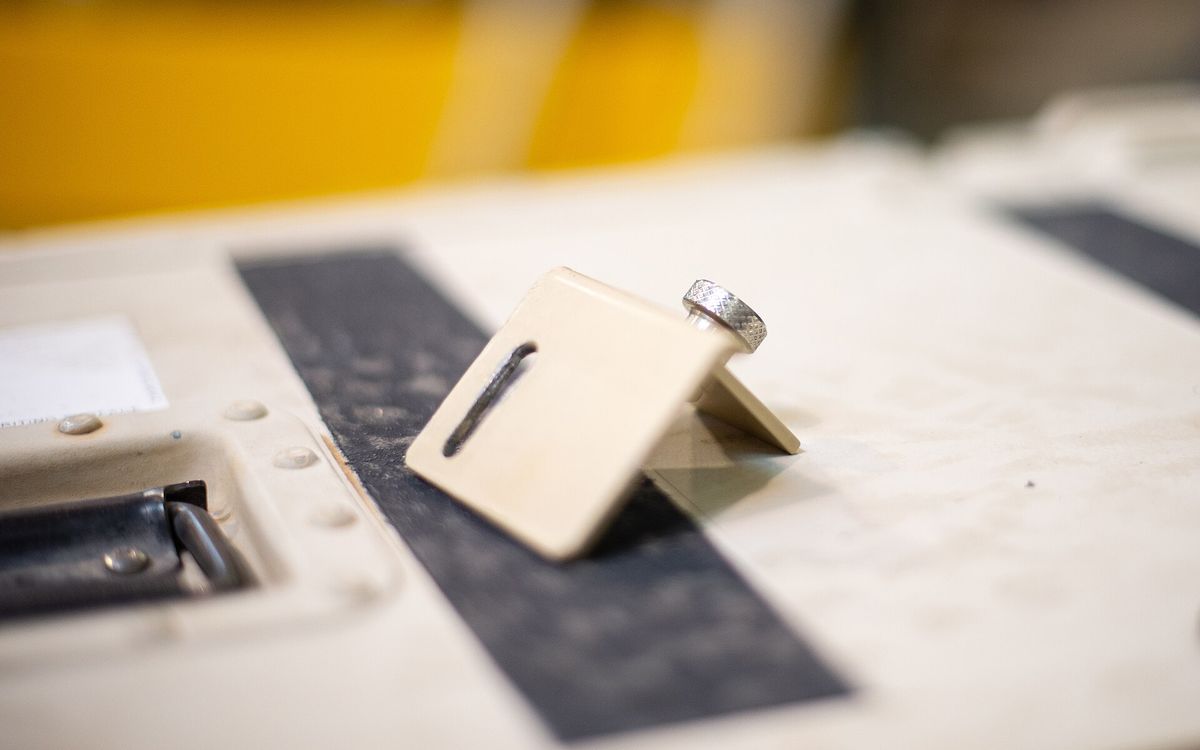
A cracked fan clip, a missing shelf peg, a knob that snapped off a cabinet: these are some of the most satisfying things to 3D print. The part is small, the original is often impossible to buy on its own, and a printed replacement can be better than the factory one. Here is how to get from a broken part to a working one in as few attempts as possible.
Is it a good candidate?
Good replacement parts are usually:
- Small and simple: clips, brackets, knobs, caps, feet, spacers, hooks, cable guides, battery covers.
- Lightly loaded, or loaded in a way you can design around.
- Away from high heat and open flame.
What we do not recommend printing: anything where a failure could hurt someone, such as parts for brakes, gas appliances, child seats, ladders, or anything holding weight above people. Also avoid parts close to heating elements, and plastic pieces that act as electrical insulation in mains-powered devices.
Measuring the original
Calipers
A digital caliper is the most useful tool for this job. Inexpensive models display 0.01 mm, though their real accuracy is closer to 0.02 to 0.05 mm, which is more than enough for printing.
- Measure each dimension at least twice, at different points.
- Measure unworn, unbroken areas. Broken edges and worn holes mislead you.
- Use the inside jaws for hole diameters and the depth rod for recesses.
- Write each number on a quick sketch as you go. You will forget which number belonged to which edge.
- Measure what the part mates with: the shaft the knob fits on, the slot the clip goes into. The mating part is the real target, not the broken piece.
Photos with a scale
For curved outlines, a photo captures what calipers cannot.
- Lay the part on a flat surface next to a ruler, or on a cutting mat with a grid.
- Shoot from directly above, with the phone parallel to the table.
- Step back and zoom in rather than holding the phone close. This reduces perspective distortion.
- Import the photo into your CAD tool, scale it using the ruler, and trace the outline.
For flat parts like brackets or plates, a flatbed scanner gives an even cleaner outline with almost no perspective error.
Modelling a simple part
You do not need advanced software. Tinkercad is enough for simple blocks, clips and spacers. Fusion, Onshape or FreeCAD suit parts with exact holes, fillets and dimensions you will want to tweak.
A practical approach:
- Start from the critical features. Model the hole that fits the shaft, the slot that fits the rail, the distance between mounting holes. Everything else is secondary.
- Simplify. Moulded parts often have draft angles, ribs and textures that exist for injection moulding. Straight walls and fillets usually do the same job.
- Thicken where it broke. If the original cracked at a thin point, add material there and a fillet at the inside corner.
- Design for the printer. Pick a flat face to sit on the bed, avoid large overhangs, and keep walls at least about 1.2 mm thick (three lines with a 0.4 mm nozzle). See preparing a model for printing.
- Use parameters if your CAD tool has them. Then changing a hole from 6.0 to 6.2 mm takes seconds.
Choosing the material
The original part's job decides the material.
| Use | Good choice | Why |
|---|---|---|
| Indoor, low load, no heat (shelf pegs, covers, organisers) | PLA | Easy, accurate, stiff |
| Warm places, outdoors, parts that flex a little (clips, brackets, car interior) | PETG | Tougher and more heat resistant than PLA |
| Hotter spots, parts you want to sand or vapour smooth | ABS | Higher heat resistance |
| Feet, bumpers, grips, gaskets, straps | TPU | Flexible, grippy, absorbs impacts |
| Small detailed parts, precise knobs, light-duty pieces | Resin | Fine detail and smooth surface, but brittle |
Heat matters more than people expect. PLA starts to soften around 55 to 60 °C, which a car parked in Vietnamese sun can easily reach inside. PETG typically holds up to roughly 70 to 80 °C and ABS to roughly 90 to 100 °C. Real limits depend on the load and the specific filament.
Standard resin gives beautiful detail but can crack under impact, and it yellows and gets more brittle in sunlight. Use it for parts that are small, precise and not knocked around. The full comparison is in our material guide.
Food contact
A printed part is not automatically food safe, even if the filament is sold as food safe. Layer lines trap food and bacteria and are hard to clean, and colourants, additives and the nozzle itself can all add material you do not want near food. A hot dishwasher can also warp PLA. A fridge shelf clip or a lid handle that never touches food is not a problem. For anything that holds or touches food, we suggest buying a certified part, or limiting the print to brief contact with dry food.
Strength settings
For a functional part, settings matter as much as material:
- Walls: 3 to 4 perimeters. Walls carry most of the load.
- Infill: 30 to 50 % for small functional parts, or 100 % for tiny clips.
- Orientation: lay the part so the load runs along the layers, not across them. A hook printed standing up tends to snap along a layer line. Printed on its side, it is much stronger.
The reasoning is in our infill and walls guide and the orientation guide.
Iterate with test fits
The first print will rarely fit perfectly, and that is normal. Printed holes tend to come out slightly small and pegs slightly large.
- Print only the critical section first. If the fit depends on one hole and one clip, print a thin slice containing just those features. It takes minutes, not hours.
- Change one thing at a time. Adjust the hole by 0.1 to 0.2 mm, reprint the slice, test again.
- Write down what worked. Next time you design for the same printer and material, you start from known clearances.
Our tolerances guide lists typical starting clearances for sliding fits, press fits and screws. For most household parts, two or three test slices are enough before you print the full part.
Need it printed?
If you have a broken part and a caliper, or just the part and a ruler, we can help. Send your model, or photos with measurements, to lab@lightning-studio.org. We can model simple parts from a sketch or photo, and small parts are often ready within 24 hours, with same-city delivery in Da Nang. Details on the Lab page.
Cover photo: Innovation from the Ground Up (6442935), U.S. Air Force photo by Master Sgt. Nicholas Filip, Public domain, via Wikimedia Commons (cropped).
Related posts
3D Printing in Education: A Practical Guide for Teachers and Schools
What to print for teaching, STEM projects students can design themselves, classroom safety, budgeting and a simple lesson flow from sketch to printed part.
Tool Changers vs Filament Swappers: Choosing a Multicolor 3D Printer
Creality K3, Sovol M1D and Bambu's upcoming H3C bring tool changing to mid-range prices. How the five multicolor approaches compare on waste, time and cost.

3D Printing Cosplay Props: Splitting, Finishing and Wearability
How to split big props to fit the bed, key and join the pieces, pick PLA, PETG or resin, keep shells light, then fill, paint and pad them for wearing.