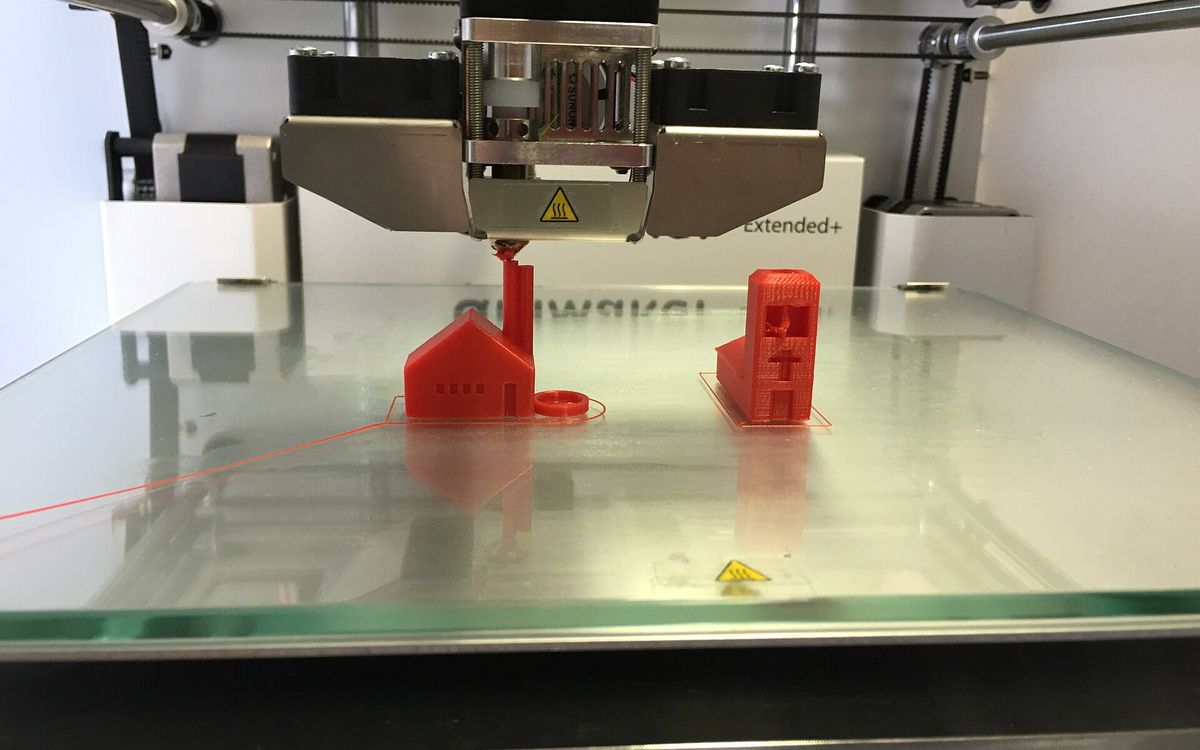
What you are actually paying for
A 3D print quote is not a fixed price per object. It comes down to two things: how long a printer is busy with your job, and how much material goes into it. On top of that comes human time: checking the file, removing supports, finishing, and sometimes designing the model in the first place.
At Lightning Lab the price is based on print time and material used, with special rates for students. Once you know what moves those two numbers, you can usually get a cheaper print without making it worse.
Print time
Print time is often the biggest factor. A printer runs one job at a time, so a part that takes 14 hours occupies a machine that could have printed several smaller jobs in the same window.
What makes an FDM print slow:
- Height. The printer builds layer by layer. A tall part takes longer than a flat part of the same volume, because every layer has its own travel moves and start-stop overhead.
- Layer height. Going from 0.2 mm to 0.1 mm doubles the number of layers and comes close to doubling print time. See layer height explained.
- Volume. More plastic to lay down means more time. Infill and wall count have a large effect here.
- Supports. Every support structure is printed like part of the model, then removed.
- Small details. Thin towers and tiny features force slower speeds so each layer has time to cool.
Resin printing behaves differently. An MSLA printer cures a whole layer at once, so print time depends mainly on the height of the job, not on how many parts fit on the build plate. Ten small figures side by side take about as long as one. That is why resin can be economical for batches of small, detailed parts, even though the material itself costs more.
Material
Material cost is roughly the weight of the part, plus supports and purge waste, times the price per gram of that material. Your slicer gives a weight estimate before you print.
As a reference, solid PLA weighs about 1.24 g per cubic centimetre, PETG about 1.27 g, and ABS about 1.04 g. A part is rarely solid, though, so the slicer number is what counts.
The material also changes how the job runs:
| Material | Material price | Effect on print time and risk |
|---|---|---|
| PLA | Low | Prints fast and reliably |
| PETG | Low | Slightly slower, can string |
| ABS | Low to medium | Needs an enclosure, large parts can warp |
| TPU | Medium | Flexible filament, printed slowly |
| Resin | Higher | Time set by height, needs washing and curing |
A failed print costs time too. A big ABS part has a higher chance of warping than the same part in PLA, which is one reason PLA is the default unless you need heat resistance or toughness. For the full comparison, see the material guide.
Infill and walls
Most FDM parts are not solid inside. The outer skin is made of walls (perimeters) and top and bottom layers, and the inside is filled with a pattern, typically 15–20 % for general parts.
Going from 20 % to 100 % infill can multiply material and print time several times over, but strength does not rise at the same rate. For most parts, adding one more wall gives more strength per gram than raising infill. The details are in infill, walls and strength.
Typical starting points:
- Display models: 2 walls, 10–15 % infill
- General parts: 2–3 walls, 15–20 % infill
- Functional brackets and clips: 3–4 walls, 30–40 % infill
Supports and orientation
Overhangs steeper than about 45° from vertical usually need support. Supports cost you three times: the material, the print time, and the hand work to remove them and clean up the marks they leave.
Orientation can change this a lot. A part that needs a forest of supports standing upright may need almost none lying on its side. Splitting a model into pieces that each print flat often lowers cost and improves surface quality, at the price of a glue line. See supports, overhangs and orientation.
Post-processing
A raw print is the cheapest version of a part. Every finishing step adds hand work:
- Support removal and light cleanup
- Sanding to hide layer lines
- Filler primer and paint
- Washing and UV curing, which every resin print needs
- Gluing multi-part models
Painting a detailed figure can take longer than printing it. If you plan to sand and paint the part yourself, say so, and we will not add finishing you do not need. The post-processing guide covers each step.
Design work
If you have no 3D file, someone has to model it. We can work from a sketch or a photo and quote the design separately. That cost depends on complexity, not on print size: a simple bracket with a few dimensions is quick, an organic character from a single photo is not.
You can make design work faster and cheaper by sending real measurements, photos from several angles, and a reference object for scale, like a ruler or coin in the shot.
How to reduce the cost
- Use the coarsest layer height that looks right. 0.2 mm suits most FDM parts. Use 0.1 mm when curved surfaces or small text are visible up close.
- Lower infill on display parts. 10–15 % with 2–3 walls is enough for something that sits on a shelf.
- Scale down if you can. Volume grows with the cube of size. A model scaled to 80 % uses roughly half the material, since 0.8 × 0.8 × 0.8 ≈ 0.51.
- Hollow large resin parts, with drain holes so liquid resin cannot get trapped inside.
- Design out supports. Use chamfers instead of flat overhangs, and split models so each piece prints flat.
- Pick PLA unless the part needs heat resistance, flexibility or impact toughness.
- Batch small parts, especially in resin, where ten parts can take the same time as one.
- Ask for the finish you need, not the highest one available.
How to request an accurate quote
Most back-and-forth on quotes comes from missing details. Send these in your first message:
- The file: .STL, .OBJ, .3MF or .GCODE, shared as a Google Drive link with lab@lightning-studio.org
- Final size, or confirm the file is in millimetres
- Material and colour
- Layer height, for example 0.1 or 0.2 mm, or tell us what the part is for and we will suggest one
- Quantity
- Finish: raw, supports removed, sanded or primed
- Use: display, functional part or gift
- Deadline, and whether you need same-city delivery in Da Nang
Check the scale before you send. A model exported in the wrong units can arrive 10 or 25.4 times too big or too small, and the quote will be wrong. The guide on preparing a model for printing shows what to check.
On timing, small parts are often ready within 24 hours and larger models usually take 2–3 days. If you have a fixed deadline, tell us up front so the job can be planned around it.
Need it printed?
Share your Drive link and the details above with lab@lightning-studio.org and we will reply with a quote and a suggested setup. If you are a student, mention it so we can apply the student rate. More about the service on the Lightning Lab page.
Cover photo: Table-floor-glass-room-countertop-interior-design-605268-pxhere, CC0, via Wikimedia Commons (cropped).
Related posts
3D Printing in Education: A Practical Guide for Teachers and Schools
What to print for teaching, STEM projects students can design themselves, classroom safety, budgeting and a simple lesson flow from sketch to printed part.
Tool Changers vs Filament Swappers: Choosing a Multicolor 3D Printer
Creality K3, Sovol M1D and Bambu's upcoming H3C bring tool changing to mid-range prices. How the five multicolor approaches compare on waste, time and cost.
3D Printing Cosplay Props: Splitting, Finishing and Wearability
How to split big props to fit the bed, key and join the pieces, pick PLA, PETG or resin, keep shells light, then fill, paint and pad them for wearing.