How 3D printing works
Every 3D printer does the same basic job: it builds an object one thin layer at a time. You start with a 3D model. A program called a slicer cuts that model into horizontal layers and works out how to build each one. The printer then stacks those layers until the part is finished.
The two technologies you will meet most often are FDM (fused deposition modeling, also called FFF) and resin printing, which today usually means MSLA (masked stereolithography). We run both at Lightning Lab, and most questions from first-time customers come down to one thing: which process should my part be printed on?
FDM: melted plastic, drawn line by line
An FDM printer feeds a plastic filament, usually 1.75 mm thick, into a heated nozzle. The nozzle melts it and draws each layer as a series of thin lines, like a very precise hot glue gun moving on rails. The standard nozzle is 0.4 mm wide, and typical layer heights run from about 0.1 mm to 0.3 mm.
Each layer is made of a few parts:
- Walls (perimeters): the outline of the part, usually 2 to 3 lines thick.
- Top and bottom layers: solid skins that close the part.
- Infill: a lattice inside that saves material and time. Around 15 to 20 % is typical for everyday parts.
This is why an FDM part is not solid plastic inside, and why you can trade strength against time and cost by changing walls and infill.
What FDM is good at
- Bigger parts. FDM build volumes are generally larger than resin printers, and filament costs less per gram than resin.
- Functional parts. Brackets, enclosures, jigs, clips, cable holders, replacement parts. Materials like PETG, ABS and TPU handle heat, impact or flexing.
- Chunky objects. For solid, simple shapes, FDM is usually the faster and cheaper route.
Where FDM struggles
- Layer lines are visible, especially on gentle curves and sloped surfaces.
- Small details close to the nozzle width are hard to reproduce. A 0.4 mm nozzle cannot draw a crisp 0.2 mm engraved line.
- Overhangs steeper than about 45° from vertical need support material, which leaves marks where it touches the part.
- Strength is directional. Parts are weaker between layers than along them, so orientation on the bed matters for load-bearing pieces.
Resin (MSLA): liquid cured by light
A resin printer has a vat of liquid photopolymer sitting on top of a screen. The screen, an LCD, shows the shape of one layer. UV light, typically 405 nm, shines through it, and the resin in that shape hardens against the build plate. The plate lifts, fresh resin flows in, and the next layer is cured. The part grows upside down, hanging from the plate.
Because a whole layer cures at once, each layer takes the same time whether the plate holds one small figure or ten. Layers are thin, commonly 0.025 to 0.05 mm, and detail in the horizontal plane comes from the screen's pixel size rather than a nozzle. Our resin printing runs with layer precision down to 0.05 mm.
What resin is good at
- Fine detail: figures, miniatures, keycaps with crisp legends, jewellery-style pieces, small architectural details.
- Smooth surfaces where layer lines are barely visible, which means less sanding before painting.
- Small, intricate parts with thin features that FDM cannot draw.
Where resin struggles
- Brittleness. Standard resins are stiffer and more brittle than FDM plastics. Tougher resins exist, but a typical resin part is not the right choice for snap fits or heavy loads.
- Size. Build volumes are smaller, and large solid parts use a lot of expensive resin. Big pieces are usually hollowed, which then needs drain holes so liquid resin does not get trapped inside.
- Post-processing is not optional. Every print has to be washed in isopropyl alcohol (IPA), have its supports removed, and be cured under UV light.
- Handling. Uncured resin irritates skin, so it needs gloves and ventilation. We cover this in resin printing safety and care.
- Sunlight. Long UV exposure can yellow resin parts and make them more brittle over time.
FDM and resin side by side
| FDM | Resin (MSLA) | |
|---|---|---|
| How it builds | Melted filament drawn by a nozzle | Liquid resin cured by UV light |
| Typical layer height | 0.1 to 0.3 mm | 0.025 to 0.05 mm |
| Surface | Visible layer lines | Smooth, very fine detail |
| Strength | Tough, good for functional parts | Stiff, more brittle (standard resin) |
| Part size | Small to large | Small to medium |
| Materials | PLA, PETG, ABS, TPU and more | Standard, tough and flexible resins |
| Post-processing | Remove supports, optional sanding | Wash, cure and remove supports, always |
| Best for | Prototypes, enclosures, mechanical parts, large models | Figures, miniatures, detailed small parts |
For a closer look at each plastic, read our material guide for PLA, PETG, ABS, TPU and resin.
Which one should you pick?
Ask what the part has to do, then go through these in order:
- Will it bend, clip, carry a load or sit somewhere hot? Choose FDM, usually in PETG, ABS or TPU.
- Is the smallest detail under about half a millimetre, or will people look at it up close? Choose resin.
- Is it large, or a simple solid shape? Choose FDM. It is cheaper and less wasteful for volume.
- Is it a display figure you plan to paint? Resin, in most cases. Large display pieces can be done in FDM and sanded.
- Is the budget tight and detail not critical? FDM.
Many projects mix both. Architecture students often print massing and base plates in white PLA and the fine facade elements or tiny furniture in resin. Product designers may test fit and function in FDM, then print a resin version for photos and presentations.
A few terms you will hear
- Slicer: the software that turns a model into printer instructions (G-code for FDM, layer images for resin).
- Layer height: how thick each layer is. Thinner layers look better and take longer. See layer height explained.
- Supports: temporary structures that hold up overhangs during printing. See supports, overhangs and print orientation.
- Infill: the internal lattice of an FDM part. See infill, walls and strength.
Before you send a file
Whichever process you choose, the model has to be printable: closed, at the right scale, with walls thick enough to survive. Our guide on how to prepare a 3D model for printing walks through the checks we run on every file.
Need it printed?
If you are not sure which process fits, tell us what the part is for and we will suggest one. Share your .STL, .OBJ or .3MF file via a Google Drive link with lab@lightning-studio.org, along with the size, material, colour and layer height you have in mind. Small parts are often ready within 24 hours. More details are on the Lab page.
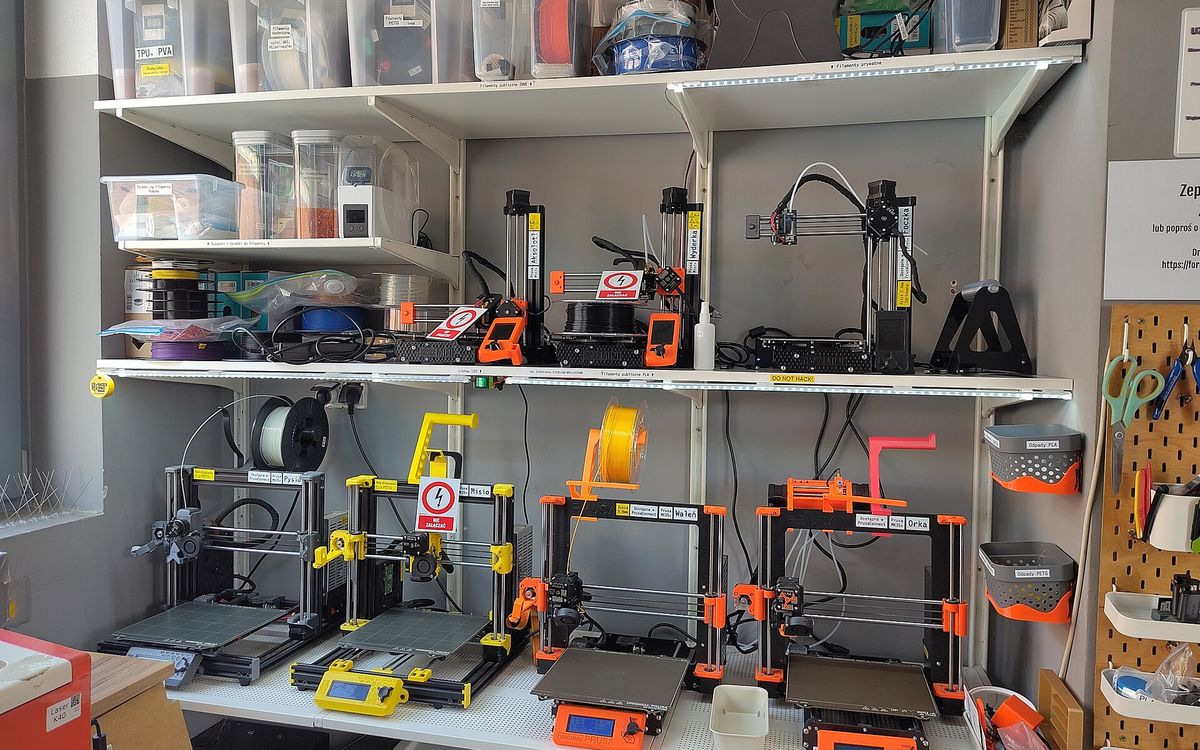
Cover photo: 3D printer farm at Hackerspace Wrocław by Majabojarska, CC BY 4.0, via Wikimedia Commons (cropped).
Related posts

3D Printing in Education: A Practical Guide for Teachers and Schools
What to print for teaching, STEM projects students can design themselves, classroom safety, budgeting and a simple lesson flow from sketch to printed part.
Tool Changers vs Filament Swappers: Choosing a Multicolor 3D Printer
Creality K3, Sovol M1D and Bambu's upcoming H3C bring tool changing to mid-range prices. How the five multicolor approaches compare on waste, time and cost.

3D Printing Cosplay Props: Splitting, Finishing and Wearability
How to split big props to fit the bed, key and join the pieces, pick PLA, PETG or resin, keep shells light, then fill, paint and pad them for wearing.